

Time Stack
Record staff arrivals, departures and hours.
Staff scan their badge at a Time Stack tablet when they arrive and leave. The event team can see who is on site, review working time and correct missing records.
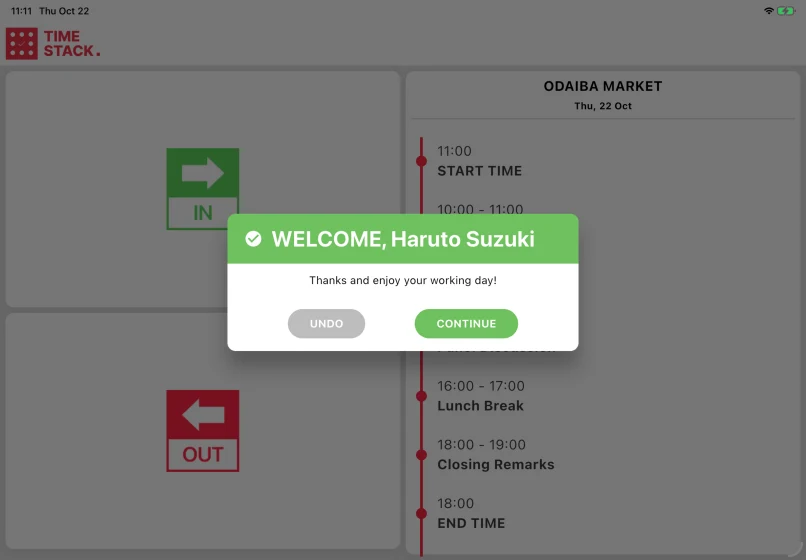
Clock in with a staff badge
A staff member chooses clock in or clock out and holds their badge QR code to the camera. The app records the time and confirms the person by name, with no PIN or typing required.
Show the day at the entrance
The kiosk can display the day schedule beside the clock. When the event requires it, a photograph can be taken at clock time as proof of presence for the time record.
Monitor and correct the records
The supervisor view shows who is in, who did not clock in and how long each person has worked. A supervisor can add a missed entry, correct a record or clock out everyone still marked as present at closing.
Print staff badges where needed
Time Stack can print staff badges from the same device when a compatible label printer is connected. Events that prepare badges in advance do not need a printer at the staff entrance.
Practical details
- Time Stack has no test mode because the records may be used for payroll. A new clock action can be undone immediately.
- The tablet clock supplies the timestamp, so its date and time zone must be checked before the event.
- Manual corrections require an account with timecard permissions.
Questions organisers ask
- What happens when someone forgets to clock out?
- The open shift remains visible to the supervisor. Add the actual departure time manually, or use the closing action when everyone still marked as present is leaving at that time.
- Can we require a photograph?
- Yes. The event can make the photograph optional or required at clock time.
- Do we need a printer?
- Only if staff badges are printed from the tablet. Clocking in and monitoring time work without one.





Tell us how you record staff time.
Show us where staff arrive, how badges are issued and which records you need after the event. We can look at the setup with you.