

POS Stack
Point-of-sale software for large-scale events.
Set up products, prices and payment methods for each booth. Staff take payments and issue receipts from a tablet, while every transaction returns to Event Base for reporting.
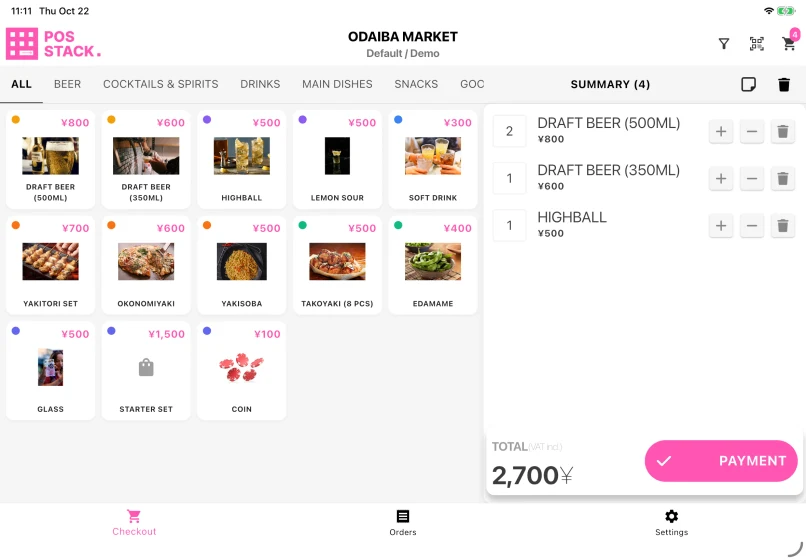
From cart to completed sale
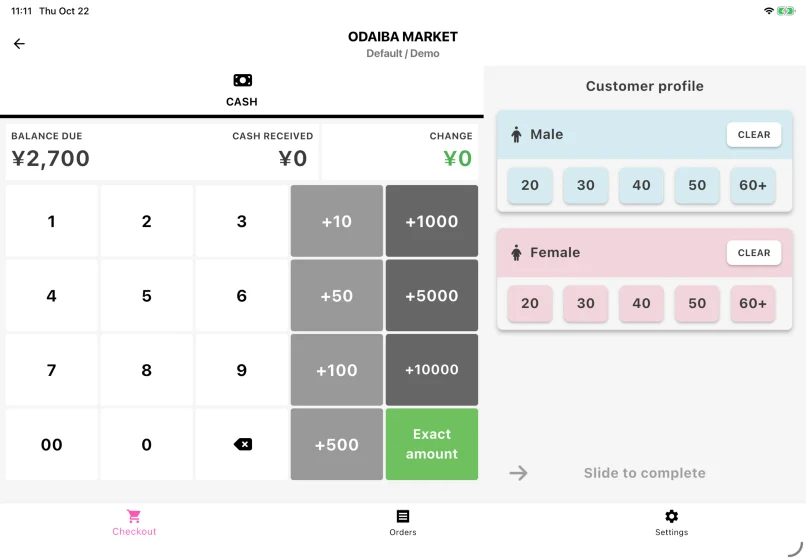
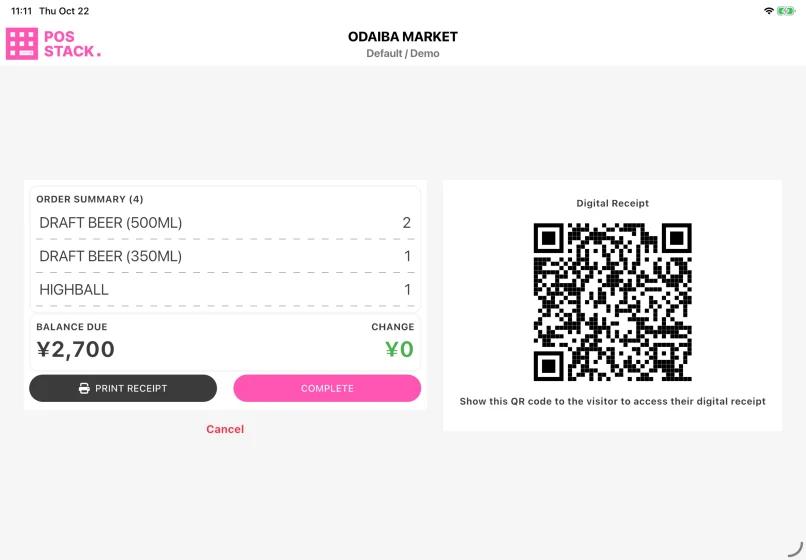
Choose the products, take payment and review the sale. This demonstration follows the same four-item cart totalling ¥2,700.
01Build the cart
02Take payment
03Review the sale
Products and prices from Event Base
Assign products to each point of sale and set the price, currency, tax rate and available payment methods. The tablet shows only the products and options for the booth where it is working.
Checkout at the counter
Staff build the cart, choose cash, card or QR payment and complete the sale. For cash, the app calculates the change. A receipt can be printed or shown as a QR code for the customer to open on their own phone.
Redeem an item included in a ticket
Scanning an attendee ticket can add the item included with that ticket to the cart. A repeated scan of the same code in that cart is ignored, helping staff avoid adding the item twice.
Sales records and cancellations
Every completed sale returns to Event Base. Cancelling a sale requires an administrator or a supervisor approval, and the order remains in the record as cancelled or refunded.
Practical details
- Cash sales are stored on the tablet and can continue during a connection interruption. They synchronise when the connection returns.
- Card and QR payments require the payment service and an active connection.
- A receipt printer is optional when the event uses digital receipts.
POS Stack, Vendor Stack and Sales Stack
| App | Used by | Records | Best fit |
|---|---|---|---|
| POS Stack | Sales points run by the organiser | Products, payments and receipts | Cash, card or QR sales run by the organiser |
| Vendor Stack | An exhibitor at its booth | Products exchanged for event currency | Coins, tokens or vouchers already bought elsewhere |
| Sales Stack | The event revenue or settlement desk | Revenue reported by an exhibitor | Confirming and settling an exhibitor handover |
Questions organisers ask
- Can different booths use different products and prices?
- Yes. Products and prices are assigned to each point of sale in Event Base.
- Do we need receipt printers?
- No. The customer can scan a QR code to open a digital receipt. Add a printer only at booths that need paper receipts.
- What continues if the venue network drops?
- Cash sales can continue and synchronise later. Card and QR payments pause until the payment service can respond again.





Show us how sales work at your booths.
Tell us what you sell, which payment methods you accept and what hardware is already available. We can look at the setup with you.